

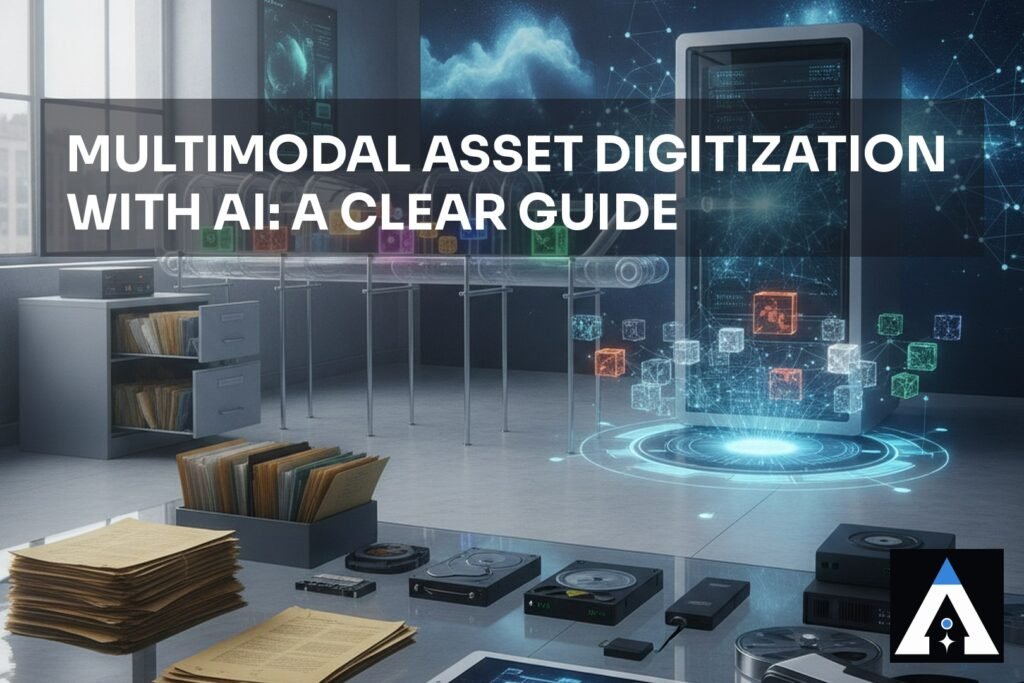
When You Have Assets Everywhere and No Way to Find Them
I talk to a lot of teams who have the same problem. They’ve got documents, images, videos, spreadsheets, PDFs, handwritten notes, database records. Sometimes they’re in filing cabinets. Sometimes they’re scattered across cloud storage, email, and people’s laptops. Sometimes they’re in systems that nobody’s touched in five years.
They want to make all of it searchable. Findable. Usable. And they want AI to do the heavy lifting.
That’s multimodal asset digitization. And it sounds simple until you actually try it.
The problem isn’t the AI part. The problem is everything else. It’s the data pipeline that breaks when the source format changes. It’s the retrieval layer that returns documents nobody can trust. It’s the access control that either locks everything down so tight nobody can use it, or opens it up so wide that sensitive information leaks. It’s the audit trail that doesn’t actually tell you what happened.
I’ve watched teams spend months on this and end up with a system that works in a demo but falls apart the moment it touches real data.
Here’s what I’ve learned from watching it play out dozens of times.
What Multimodal Asset Digitization Actually Means
It’s not just OCR on PDFs. It’s not just tagging images with keywords.
Multimodal means your assets come in different formats. Text, images, video, audio, structured data, unstructured data. Some of it is born digital. Some of it you have to scan. Some of it you have to extract from systems that weren’t designed to give it up.
Digitization means you’re converting all of it into a form that a computer can work with. That usually means embeddings. Sometimes it means structured metadata. Sometimes it means transcripts or OCR output or extracted text.
The goal is to make it all searchable and retrievable through a single interface. And to do that reliably, at scale, without losing data or access control or the ability to audit what happened.
That’s the hard part.
The Data Pipeline: Where Most Teams Get Stuck
I’ve watched teams deploy vector databases without any thought to data freshness, permissions, or accuracy. They ingest a batch of documents, create embeddings, and call it done. Then a month later, someone asks why the system is returning outdated information.
The data pipeline is the part that keeps your digitized assets current and accurate. It’s the part that nobody thinks about until it breaks.
Here’s what I’ve seen go wrong most often.
Source of Truth
You need to know where your data actually lives. Not where you think it lives. Where it actually lives. Is it in a database that gets updated every hour? A cloud storage bucket that people upload files to? An email inbox? A filing cabinet?
I’ve seen systems where nobody could trace where the data came from, or who had permission to change it, or when it was last updated. That’s a disaster waiting to happen.
You need a source of truth. One place that’s authoritative. Everything else flows from there.
Ingestion and Transformation
Once you know where your data lives, you need to get it out. That sounds simple. It usually isn’t.
PDFs don’t always parse the same way twice. Images need to be preprocessed. Video needs to be transcribed or sampled. Structured data needs to be flattened. Unstructured data needs to be chunked.
I’ve watched teams build beautiful data pipelines, then discover the data changed. The PDF format changed. The database schema changed. The API that feeds the system changed. The pipeline broke, and nobody noticed for weeks.
You need error handling. You need monitoring. You need to know when the pipeline fails, and you need to know why.
Chunking and Embedding Strategy
Once you’ve got your data in a form you can work with, you need to decide how to break it up and embed it.
Chunking is the art of dividing your content into pieces small enough for an embedding model to handle, but large enough to be meaningful. Chunk too small and you lose context. Chunk too large and your embeddings become noisy.
I’ve seen teams use fixed-size chunks. I’ve seen teams use semantic chunking. I’ve seen teams use document structure. In my experience, teams usually end up with a tiered approach, and it’s the right one. You chunk by document first, then by section, then by paragraph, depending on what you’re trying to retrieve.
Embedding strategy means choosing which embedding model to use and how to handle different modalities. Text embedding models are mature. Image embedding models are getting better. Video and audio are harder. I’ve seen teams use separate models for different modalities, then combine the results. I’ve seen teams use a single multimodal model. Both approaches work, but they have different tradeoffs.
Freshness and Updates
Your digitized assets get stale. Documents change. Files get updated. New data arrives.
I’ve seen retrieval systems where the documents were weeks out of date, and nobody noticed until a customer asked why the system was giving them outdated information.
You need a strategy for keeping your data fresh. Is it a full re-index every night? Incremental updates throughout the day? Real-time streaming? It depends on how fast your source data changes and how much staleness you can tolerate.
This is where I’ve seen the most creative chaos. Teams where the data pipeline, the model training, the retrieval infrastructure, and the deployment are all maintained by different people, with no documentation connecting them. Nobody knows when the data was last updated. Nobody knows who’s responsible for keeping it fresh.
The Retrieval Layer: Accuracy and Trustworthiness
Once your assets are digitized, you need to retrieve them. This is where the AI part actually happens.
I’ve seen vector databases deployed without any thought to data freshness, permissions, or accuracy. The system returns results, and people assume they’re correct.
They usually aren’t.
Evaluation and Testing
You need to know if your retrieval is actually working. Not just whether it returns something. Whether it returns the right thing.
I’ve seen teams with sophisticated monitoring systems where nobody actually knows what the alerts mean. I’ve seen teams where one person understands the entire system, and that’s a disaster waiting to happen.
You need evaluation harnesses. Real test cases. Known-good queries and known-good results. You need to run them regularly and track whether your retrieval quality is getting better or worse.
I’ve seen teams where this is the only thing that actually works, because the hallucinations are subtle and domain-specific. An automated test might not catch them. A human has to read the output and say: “That’s wrong.”
Handling Hallucinations
This is the part that keeps people up at night. The AI returns confident answers from documents that are incomplete, outdated, or misinterpreted.
I’ve seen teams paralysed by this. They want perfect accuracy before they put the system in production. They never ship.
Here’s what I’ve seen work: fix your retrieval layer first. Make sure you’re returning the right documents. Then build on top of that.
If your retrieval is solid, hallucinations become rare. Not impossible, but rare. And when they do happen, you can trace them back to a specific document.
Accuracy Metrics That Matter
You need to measure whether your retrieval is working. But you need to measure the right thing.
I’ve seen teams with perfect model metrics and terrible business outcomes because they were optimizing for the wrong thing. They were measuring precision and recall on a test set that didn’t match their production use case.
You need to measure what actually matters to your business. Are you trying to reduce the time it takes to find a document? Reduce the number of wrong results? Reduce the number of documents people have to read to find the answer?
Measure that. Track it. Build your system to optimize for it.
Access Control and Governance: The Complicated Part
I’ve seen teams paralysed by the complexity of access control. Some people should see some assets. Other people should see other assets. Some people should be able to modify metadata. Other people should only be able to read.
I’ve seen teams where anyone with database access could retrain the model, which meant that a data analyst could accidentally (or intentionally) change the model’s behaviour without anyone knowing.
I’ve seen other teams where only one person could deploy models, which meant that a single person leaving the company could paralyse the entire operation.
I’ve seen teams where the access control was so complicated that they just gave everyone full access and hoped for the best.
Permission Layers
You need multiple layers of permission. Who can ingest data? Who can search? Who can see the results? Who can modify the system? Who can see the audit logs?
In my experience, teams usually end up with a tiered approach. Data engineers can ingest and transform. Analysts can search and retrieve. Managers can see summaries. Compliance can see everything.
It’s not perfect, but it’s workable.
Audit Trails
Here’s where I’ve seen the most creative chaos: the audit trail. Who searched for what? Who retrieved which documents? Who changed the system? When did it happen?
I’ve seen audit logs that are so sparse that you can’t figure out what happened when something goes wrong. I’ve seen audit logs that are so detailed that they’re useless.
You need the middle ground. Log the important things. Log who did what and when. Make sure the logs are actually readable.
I’ve seen systems where the approval workflow is so complicated that people just approve everything without reading it. I’ve also seen the opposite: audit logs so verbose that they’re useless.
Here’s what I’ve seen work: start with your business outcomes. What do you actually need to audit? What would you need to prove if something goes wrong? Build your audit trail around that.
Infrastructure: Build vs Buy
You can build this yourself. You can buy a platform. You can do some combination of both.
I’ve watched teams spend months evaluating data center options, comparing latency profiles and availability zones, only to discover that their actual bottleneck is somewhere completely different.
I’ve seen teams buy expensive platforms and still end up with chaos. I’ve also seen teams build lean, focused stacks that run like clockwork.
I’ve watched teams deploy vector databases without any thought to data freshness, permissions, or accuracy. I’ve also seen teams get locked into a vendor’s way of doing things, only to discover that their workflow doesn’t fit the platform’s assumptions.
Worst of all, I’ve seen teams where one person understands the entire system. But I’ve watched teams buy platforms with sophisticated access control, then never actually implement it because they didn’t know how to map their business requirements onto the platform’s capabilities.
Here’s what I’ve seen work: you start with your business outcome. You work backwards to figure out what the system needs to do. Then you evaluate whether to build or buy based on that.
Monitoring and Operations
Once your system is live, you need to keep it running.
I’ve seen systems where the same question returned different answers depending on which server handled the request. I’ve seen systems that worked fine with 100 requests a day completely collapse at 1,000.
I’ve watched teams build sophisticated monitoring systems that nobody actually used. I’ve watched teams build access control frameworks that were so complicated that they just gave everyone full access and hoped for the best.
Alerts That Matter
Set up alerts that people actually respond to. I’ve seen teams with hundreds of alerts and alert fatigue so bad that they ignore all of them.
You need a few alerts that mean something. Retrieval quality dropped. Data pipeline failed. Access control violation. Response time spiked. Pick the ones that actually matter to your business.
Incident Response
When something breaks, you need to know how to fix it. You need runbooks. You need to know who to call. You need to know what to do first.
I’ve seen systems where nobody understood how the deployment pipeline actually worked. I’ve seen systems where the audit trail is so sparse that you can’t figure out what happened when something goes wrong.
When you’re building your system, write the runbooks. Document the failure modes. Practice the incident response before you need it.
Getting Started: The Diagnostic Sprint Approach
I’ve watched this play out dozens of times, and the teams that move fastest are not the ones with the biggest data centers. They’re the ones that start with a clear picture of what they have, what they need, and what it’s going to cost.
If you want to move faster, we offer a Diagnostic Sprint: two weeks to a clear picture of what you have, what you need, and what the business case looks like.
We talk to the people who built the system, the people who maintain it, the people who depend on it, and the people who own the business outcome. We audit what you have, identify what’s actually holding you back, and build a plan that gets you moving.
We’ve seen these patterns play out enough times to know what questions to ask and where the problems usually hide.
FAQ
How long does it take to digitize a large asset library?
It depends on the size, format variety, and quality of your source data. I’ve seen projects take weeks and projects take months. The infrastructure part is usually fast. The data preparation part is usually slow. Start with a pilot on a subset of your data to get a real timeline.
Do I need a separate embedding model for each modality?
Not necessarily. Multimodal embedding models exist and are improving. But they often have tradeoffs. Separate models give you more control and better quality for each modality, but they’re more complex to manage. Start with one approach and switch if you need to.
How do I know if my retrieval quality is good enough?
Measure it against your business outcome. If you’re trying to reduce search time, measure search time. If you’re trying to reduce wrong results, measure false positives. Don’t measure what’s easy to measure. Measure what matters.
What happens when my source data changes?
Your pipeline needs to handle it. That’s why the data pipeline is so important. Build in error handling, monitoring, and alerting. Test what happens when the format changes. Plan for it before it happens.
Can I start with a proof of concept?
Yes, but be careful. A proof of concept that works on clean data in a lab might completely fail on messy data in production. Build your proof of concept with real data, real volume, and real access control requirements. Otherwise you’re just delaying the hard problems.
Let’s Talk About Your Assets
Multimodal asset digitization is hard, but it’s doable. The teams that get it right start with their business outcome, work backwards to figure out what the system needs to do, and then build the infrastructure to support that.
If you’ve got a large library of mixed-format assets and you want to make them searchable and usable, let’s talk about what you have and what you need. We can audit your current situation, identify the gaps, and build a plan that actually works in production.
Reach out. Let’s figure out what’s holding you back.